How a class waitlist works, and why it fills your empty spots
How to turn last-minute cancellations into spots someone else is glad to take, and what your waitlist tells you about which classes to add.
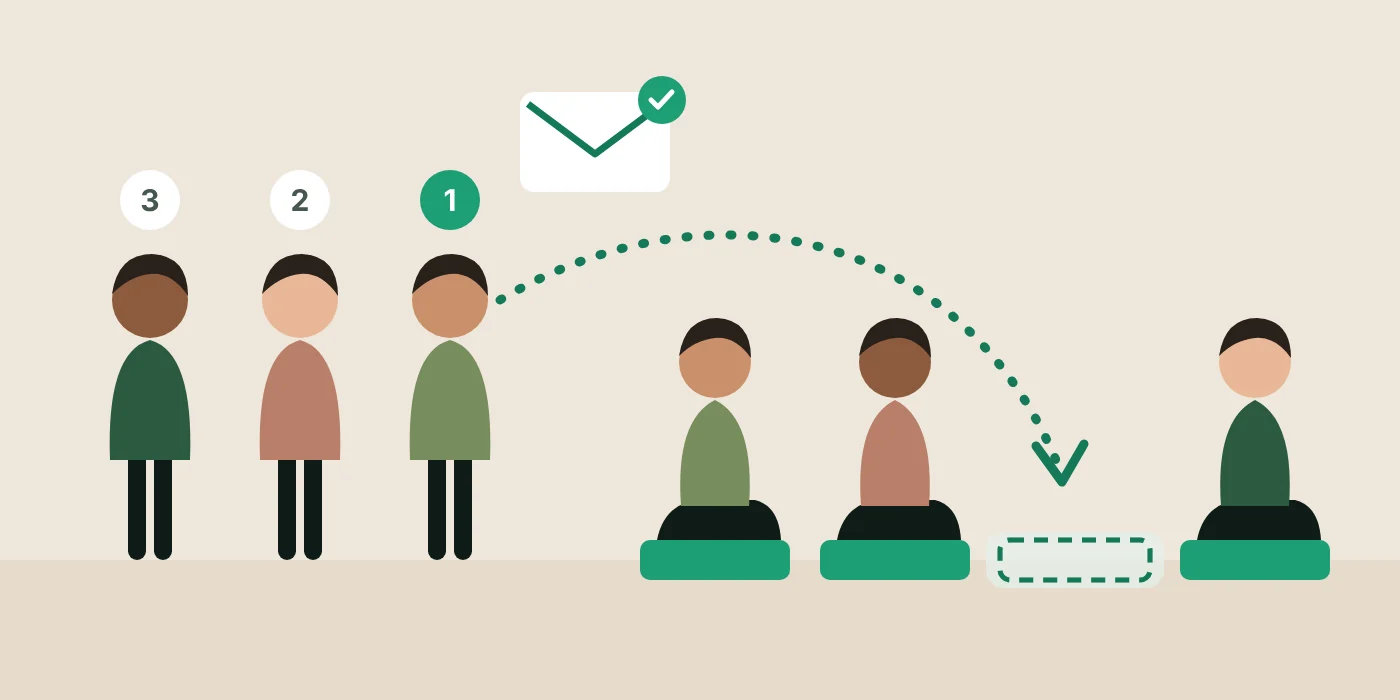
A full class is good news until someone cancels an hour before it starts. Then it is an empty mat, and somewhere there is a member who wanted that spot and never heard it opened.
A waitlist closes that gap. Done well, it fills last-minute spots without you touching your phone, and it tells you which classes deserve a second session.
The empty mat problem
Without a waitlist, a cancelled spot is only refilled if three things happen quickly: you see the cancellation, you remember who asked about that class, and that person sees your message in time. At 21:40, or ten minutes before a 07:00 class, usually none of them do.
Most studios try a manual version first: a list of names in a notes app, and a message to the first person when a spot opens. It works when you are at your phone. The trouble is that cancellations do not wait for you to be at your phone.
Three ways to run a waitlist
| Model | How it works | Trade-off |
|---|---|---|
| Manual list | You keep the names and message people when a spot opens | Free, but only as fast as you are |
| Notify everyone | Everyone waiting is told at once; whoever books first gets it | Fast, but feels like a race, and the person who joined first often loses it |
| Offer in order | The first person waiting is offered the spot for a set time, then it moves down the queue | Fair, but a long queue can run out of time before the class starts |
The best results usually come from combining the last two: offer the spot in order while there is time, then open it to everyone when there is not. The person who joined first gets the first chance, and the spot still gets filled when the class is close.
How long to hold an offered spot
When the spot is offered to one person at a time, the hold time decides how well the waitlist works. Too long and the spot can sit unused while it waits for someone who is not looking at their phone. Too short and members feel they never had a real chance.
There is no single right number, because it depends on how much time is left. A spot that opens two days before class can give each person a couple of hours to see the message. A spot that opens ninety minutes before class cannot. A good rule is to share the time that is left between the people waiting, with a sensible minimum and maximum, and to keep the final hour for a last call to everyone.
Two more details make a real difference. Do not send offers in the middle of the night: an offer that arrives at 02:00 and expires at 02:30 is not a real offer. And let members book straight from the message, so the time they have goes on deciding, not on signing in.
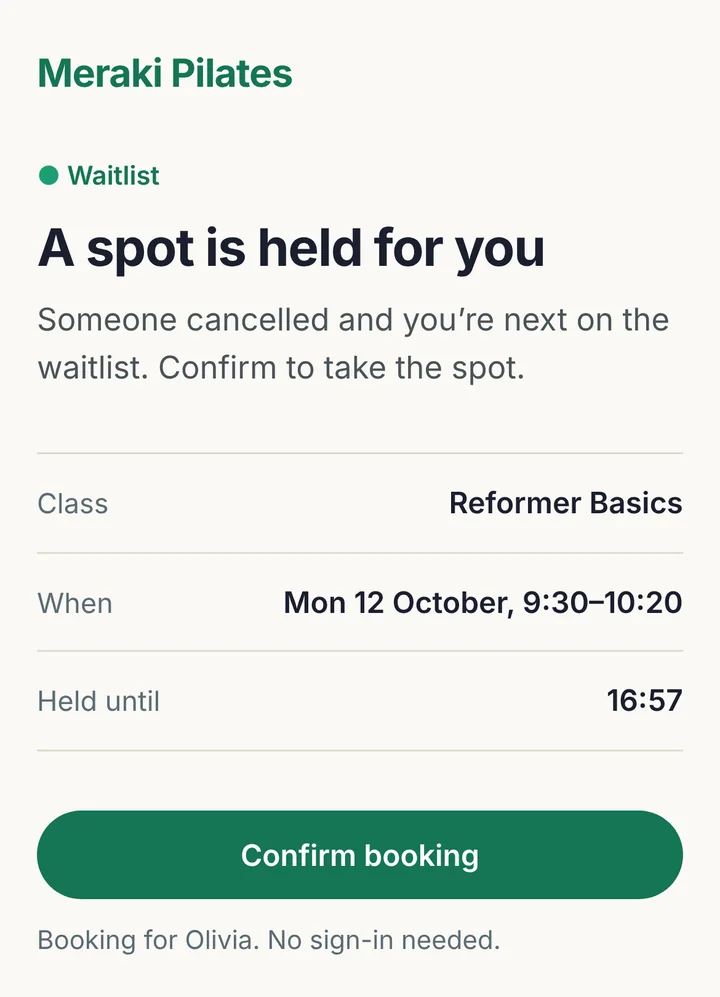
Each offer gets a share of the time before the last hour, split between the rounds of offers the queue needs: up to 2 hours each, and never under 10 minutes. When there is not enough time for that, the spot goes straight to a last call. The offer email’s “Book this spot” button opens a page where the member confirms with one tap, with no sign-in code.
If they do not book in time, the spot moves to the next person; they lose their place in the queue but stay on the list for the last call, and can rejoin the queue at the back.
In the last hour before bookings close, or once everyone has had their turn, a last call goes to everyone on the waitlist and the first to book gets the spot. From 22:00 to 07:00 in your timezone no offers go out and the clock stops, so for an early-morning class the last call can come the evening before. Nothing is asked of you.

What members should see
A waitlist only works if members trust it. That comes from a few small things being clear.
- A full class should invite them to wait. “Join waitlist” is better than a grey “Full” button, which reads as a dead end.
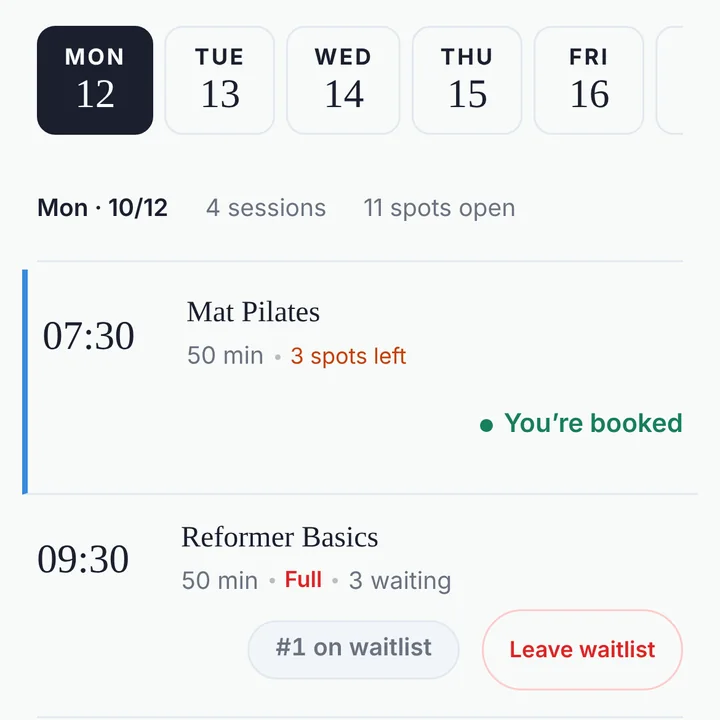
- Their position in the queue. Third in line is worth waiting for; fifteenth may not be, and members appreciate knowing.
- An easy way to leave. People’s plans change. A member who can leave the queue in one tap will not be offered a spot they no longer want.
- A clear offer. When the spot opens, they should know it is theirs, how long it is held for, and how to take it.
- A second chance. Missing one offer should not take someone off the list altogether. The next spot that opens may suit them better.
If you sell memberships or class packs, there is one more detail: a spot should not be offered to someone whose plan has run out. Otherwise they accept it and then cannot book, and the spot is lost for everyone else too.
Reading the waitlist as demand
The waitlist is the clearest evidence you have of what your members want. A class that has people waiting week after week is telling you a second session would fill.
Once a month, look at which classes had a waitlist and how long it was. GettingBooked’s monthly summary email also counts the seats refilled from the waitlist. Two or three people waiting most weeks for the same slot is a good reason to try a second class at a nearby time. One long waitlist on a single date is more likely a one-off.
Combined with a clear late cancellation policy, a waitlist turns most late cancellations into a spot someone else is glad to take, rather than an empty mat.
Members join the queue themselves from your booking page and see their position. The Slots tab shows how many are waiting next to each class. With “Require active membership to book” on, a freed spot skips anyone whose plan has lapsed or whose pack has run out, and goes to the next person who can take it.